
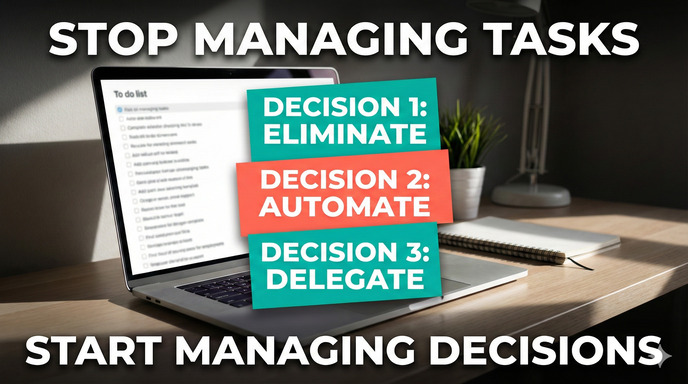
Your to-do list isn’t broken, but it wasn’t designed for the type of work you do in 2026. The result: you organize more, accomplish less, and end up blaming yourself instead of questioning the system.
The Eternal Wednesday at 4 PM
It’s 4 PM on a random Wednesday.
Your list has 23 tasks.
You wrote 19 of them on Monday.
Today you completed 2, added 8 new ones, and reorganized everything twice.
You’re not just tired from working. You’re tired from managing the list.
Every priority change, every urgent email, every WhatsApp message asking “can you have this today?” means redoing the structure that was supposed to help you. The tool that should give you clarity becomes another source of friction and mental debt.
It’s not that you lack discipline. It’s that your work reality changed and your systems didn’t.
The Invisible Error: You Work as If You Were Baking Bread
Most to-do apps and productivity methods assume a very specific type of work, the equivalent of baking bread:
- Same recipes.
- Clear steps.
- Stable sequence.
- Few surprises.
In that world, a task list works perfectly:
A → B → C → deliver.
But your work doesn’t look like a calm bakery.
Your work looks like running a kitchen where:
- The menu changes mid-service.
- An urgent “off-menu” order comes in.
- A key ingredient runs out.
- A dish that seemed simple turns into three iterations.
The list you made in the morning stops representing reality by 11:15 AM.
It’s not bad luck: you’re using a tool designed for linear processes in an environment that’s almost completely non-linear.
Execution vs Response: The Distinction That Changes Everything
Here’s the key crack that almost no one explains to you.
There are two major types of cognitive work:
1. Execution Work
- You know what needs to be done.
- You know roughly how long it takes.
- The order is fairly stable.
- Context changes little.
Examples:
- Updating 20 product listings with already-defined information.
- Implementing an approved design in code.
- Following a QA checklist.
Here lists shine.
It’s almost criminal not to use them.
2. Response Work
- Tasks emerge on the fly.
- Priorities change several times a day.
- You depend on other people, systems, or events.
- What you discover today changes what you’ll do tomorrow.
Typical examples from your life:
- Adjusting an SEO strategy because Google moved something.
- Rewriting a YMYL article because regulations changed.
- Redesigning a URL architecture due to a bug that appeared in production.
- Changing an article’s approach because an AI tool opened up a better angle.
In this environment:
- Tasks aren’t static, they’re mutating.
- What was “step 3” yesterday no longer exists today.
- One “task” becomes 3 new decisions.
- The backlog grows faster than it empties.
To-do apps remain optimized for execution work.
Most of your day is response work.
The friction doesn’t come from you. It comes from the mismatch.
Why Organizing Becomes Another Task
When you try to apply linear list logic to response work, this happens:
1. Every change breaks the structure.
Meetings that move, clients who change their minds, technical discoveries… each event forces you to rethink the list’s order.
2. Reorganizing eats your energy.
Moving tasks, reassigning priorities, renaming projects, re-sorting “today / this week / someday”… all that is work. It creates no value but consumes the same brain you need for thinking.
3. Long lists generate threat, not clarity.
The brain doesn’t see “opportunities for progress,” it sees “open loops.” Each item is a micro-alert. Result? Anxiety, avoidance, paralysis.
4. You confuse capture with progress.
The more things you put in the app, the more you “feel” you did something. In reality you just increased cognitive debt: now you have to decide what to do with each item, over and over.
5. Your identity comes into play.
When the system fails, you don’t think “the model is incorrect,” you think “I’m disorganized,” “I lack willpower,” “I need another app.” You blame the person, not the design.
Your organization becomes meta-work: managing the work, instead of advancing it.
The Real Problem Isn’t Tasks: It’s Decisions
Many of the things you list as “tasks” aren’t tasks.
They’re pending decisions in disguise.
- “Redesign page X” → is actually deciding what strategic approach it will take.
- “Optimize category Y” → deciding what you prioritize: SEO, conversion, or clarity.
- “Write article Z” → deciding for whom, with what depth, with what angle.
A simple task is resolved with time.
A pending decision is resolved with clarity.
If you mix both in the same list, this happens:
- You procrastinate on “tasks” you don’t advance because they’re actually decisions you haven’t made.
- You underestimate the mental weight of those decisions.
- You punish yourself for “not doing,” when in reality what you haven’t done is decide.
It’s not that your list is poorly organized.
It’s that your list doesn’t distinguish between execution and design, between task and decision.
What Works Better in 2026: Change the Model, Not the App
The way out isn’t another app or a miraculous 27-step method.
It’s changing the mental model you use to organize your work.
1. Think in States, Not Infinite Lists
Instead of asking “what tasks do I have?”, ask yourself:
- What things are waiting?
- What things can move forward today?
- What things are blocked?
- What things are emergent?
Organization stops being “sorting a list” and becomes “seeing what state each work front is in.”
You don’t manage loose tasks. You manage fronts with changing states.
2. Think in Decision Load, Not Task Volume
A day doesn’t break from having 20 small tasks.
It breaks from having too many heavy decisions competing for the same brain.
Key question to start the day:
“Today, how many important decisions can I sustain without collapsing?”
Maybe the realistic answer is 2 or 3.
Everything else is micro-tasks orbiting those decisions.
Practical example:
- Instead of a list of 27 things, you define:
- Decision 1: What strategic approach will X category take?
- Decision 2: What place in the roadmap does Y project occupy?
- Decision 3: What minimum standard will Z YMYL content have?
Your day revolves around advancing those decisions, not checking off isolated micro-tasks.
3. Reduce Reorganization Friction
Instead of rewiring the entire list every time something changes:
- Have very little to reorder.
- Work with short horizons: today / this week / later.
- Avoid the “museum backlog” that never gets cleaned.
If something lives for months in your system without moving, maybe it’s not a task. It’s an idea, a wish, or a decision you don’t want to face yet.
4. Use Lists Where They Make Sense
Lists aren’t the enemy.
The problem is using them for everything.
Use them where they shine:
- Checklists for repeatable execution (publishing an article, launching a feature, doing a technical audit).
- Steps that don’t change, even if context changes.
- Quality processes where forgetting something would be serious.
There you do want binary precision: done / not done.
But stop forcing them to control a universe that changes every 3 hours.
A Concrete Proposal: From “To-Do List” to “Decision System”
In the end, you need something you can apply tomorrow without redoing your entire life.
Here’s a minimal but powerful version.
Step 1: Divide Your Work Into Three Columns
Each morning (or the evening before), in whatever format you want (paper, app, simple doc), create just three blocks:
1. Today’s Decisions (maximum 3):
- Things that require judgment, focus, and deep context.
- If you advance these, the day was worthwhile.
2. Necessary Execution:
- Concrete tasks you can actually check off.
- Ideally anchored to one of today’s decisions.
3. Inevitable Noise:
- Things you know will appear: messages, micro-adjustments, quick requests.
- You don’t enumerate them all, but you accept they’ll exist.
Step 2: Use States, Not Infinite Priorities
For your important work fronts (project, client, category, product), ask yourself:
- Is this front waiting, can move forward, blocked, or emergent?
- What do I need to move it one state forward?
That’s the real map.
Not “12 loose tasks about SEO,” but “this front is stuck because such decision is missing.”
Step 3: Stop Letting the List Be Your Judge
Your list isn’t there to tell you “you failed.”
It’s there to help you see honestly where your capacity is and what type of work you’re managing.
Use it as a control panel, not a whip.
- If one day you only advanced one difficult decision, it was a good day.
- If you checked off 15 micro-tasks but avoided what’s important, the system shows you.
Step 4: Accept That Organization Can’t Be Another Full-Time Job
If your system requires 40 minutes of heavy daily maintenance, it’s not a system. It’s a parallel job.
The real filter to know if something works for you:
“Does this model return more clarity and energy than it consumes?”
If the answer is no, it doesn’t matter how beautiful or sophisticated it is: it’s not for you.
You’re not broken for not getting your to-do list to “work.”
Your work simply stopped resembling the world those apps were designed for.
The solution isn’t finding the perfect tool, but using a better distinction:
- Execution vs response.
- Tasks vs decisions.
- Infinite lists vs limited load.
From there you can keep using the tools you already know, but in service of a decision system that’s more honest with the reality of your work, instead of continuing to try to organize your day as if you were still baking bread on a stable production line.
“`
Analysis by 
Decision science researcher focusing on second-order effects and the time-based economics of technology. Expert in workflow optimization and cognitive load management.